How to Know If Your WhatsApp Account Has Been Hacked (And How to Secure It)
WhatsApp has become one of the most important communication apps in the world. Millions of people use it every day to chat with friends, communicate with family, run businesses, and share important information.
Because WhatsApp contains personal conversations, photos, documents, and private details, it has also become a target for scammers and cybercriminals.
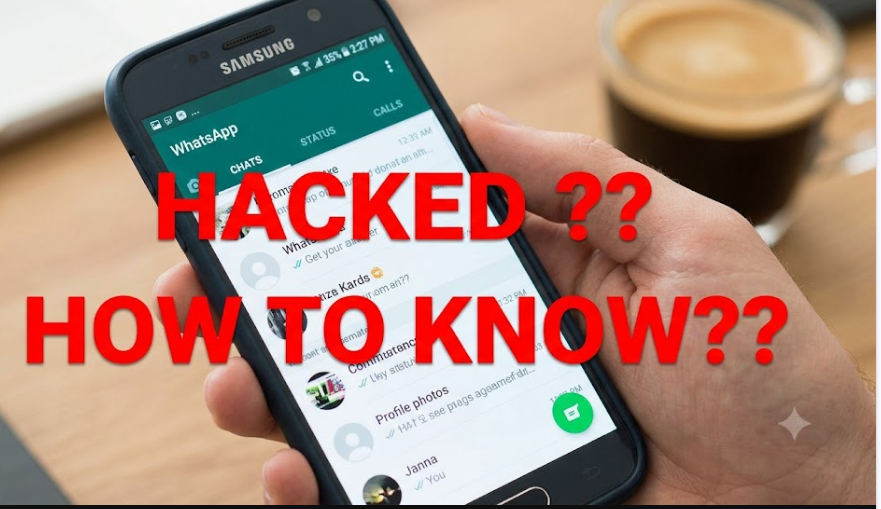
Many people only realize something is wrong after noticing strange activity, such as messages they did not send, unknown devices connected to their account, or friends receiving suspicious messages from their number.
The good news is that there are several warning signs that can help you identify whether your WhatsApp account has been compromised. There are also simple security steps you can take to protect your account.
In this guide, we explain how to know if your WhatsApp account has been hacked, how hackers gain access, and how to secure your account in 2026.
Can Someone Hack Your WhatsApp Account?
Yes, WhatsApp accounts can be targeted by scammers, but most successful attacks happen because of social engineering rather than a weakness in WhatsApp itself.
Hackers usually trick users into giving away important information, such as:
- Verification codes.
- Login details.
- Personal information.
- Access to linked devices.
WhatsApp uses end-to-end encryption, which means your messages are protected while being sent. However, your account can still be compromised if someone gains access to your phone number or tricks you into approving access.
Signs Your WhatsApp Account May Have Been Hacked
1. Messages Are Being Sent From Your Account Without Your Knowledge
One of the biggest warning signs is seeing messages you did not send.
Your contacts may tell you:
- “Why did you send me this link?”
- “Did you ask me for money?”
- “Why are you sending strange messages?”
If you notice conversations that you do not remember starting, someone may have gained access to your account.
2. You See Unknown Linked Devices
WhatsApp allows users to connect devices through the Linked Devices feature.
This is useful for using WhatsApp Web or connecting additional devices, but it can also be abused if someone gets access.
To check:
Open WhatsApp:
Settings → Linked Devices
Review all connected devices.
If you see a computer, browser, or phone that you don’t recognize, remove it immediately.
3. You Are Logged Out of WhatsApp Suddenly
If WhatsApp suddenly logs you out and asks you to verify your phone number again, someone may have attempted to register your account on another device.
This happens because WhatsApp accounts are connected to your phone number.
If another person successfully registers your number, they may gain control of the account.
4. Your Friends Receive Strange Messages From You
Hackers often use compromised WhatsApp accounts to scam contacts.
Common examples include:
- Asking for money.
- Sending fake investment opportunities.
- Sharing suspicious links.
- Pretending to need emergency help.
If several people tell you they received unusual messages from your number, investigate immediately.
5. Your Profile Information Changes Without Permission
Another warning sign is seeing changes you did not make.
Examples include:
- A different profile picture.
- A changed name.
- A different About section.
Someone with access to your account may change these details.
6. Your Phone Battery or Data Usage Suddenly Increases
This is not always a sign of hacking, but unusual activity on your phone can sometimes cause increased:
- Mobile data usage.
- Battery consumption.
- Background activity.
If combined with other warning signs, it is worth checking your account security.
7. You Receive Unexpected Verification Codes
WhatsApp sends a verification code when someone tries to register your number.
If you receive a code that you did not request, someone may be attempting to access your account.
Never share this code with anyone.
A common scam involves someone pretending they sent the code to you by mistake and asking you to forward it.
How Hackers Usually Access WhatsApp Accounts
Understanding common scams can help you avoid becoming a victim.
Fake Verification Code Scams
This is one of the most common methods.
A scammer tries to register your number on their phone. WhatsApp sends you a verification code.
The scammer then contacts you and tricks you into sharing the code.
Once they receive it, they can access your account.
Fake Customer Support Messages
Some scammers pretend to be WhatsApp employees.
They may claim:
- Your account has a problem.
- You violated WhatsApp rules.
- Your account will be deleted.
They then ask for information or verification codes.
WhatsApp will never ask you for your verification code.
Malware and Spy Apps
Some malicious apps can monitor activity on your device.
These apps are often installed when users download:
- Fake applications.
- Unofficial versions of WhatsApp.
- Suspicious files.
Only install apps from trusted sources.
How to Secure Your WhatsApp Account
1. Enable Two-Step Verification
Two-step verification is one of the strongest security features WhatsApp provides.
To enable it:
WhatsApp → Settings → Account → Two-step verification
Create a PIN that only you know.
This adds an extra layer of protection because someone needs more than just your verification code to access your account.
2. Never Share Your WhatsApp Verification Code
Your six-digit WhatsApp code is private.
Never give it to:
- Friends.
- Strangers.
- People claiming to be support staff.
Anyone asking for your code should be treated as suspicious.
3. Check Linked Devices Regularly
Make it a habit to review connected devices.
Go to:
Settings → Linked Devices
Remove anything unfamiliar.
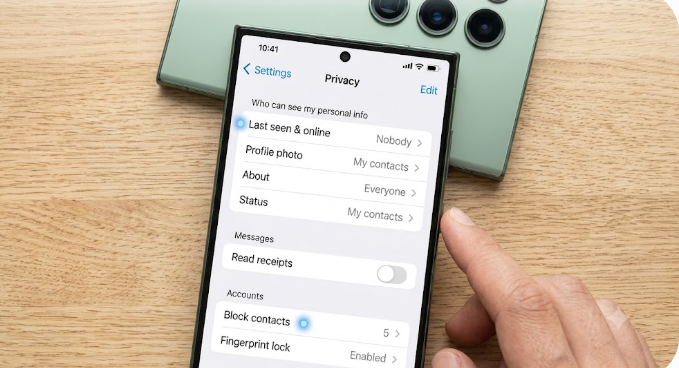
4. Use Screen Lock Protection
Protect WhatsApp from people who physically access your phone.
You can enable:
- Fingerprint lock on Android.
- Face ID or Touch ID on iPhone.
This prevents others from opening your chats.
5. Keep WhatsApp Updated
Always use the latest WhatsApp version.
Updates often include:
- Security improvements.
- Bug fixes.
- Privacy features.
Avoid using modified versions such as unofficial WhatsApp apps.
6. Be Careful With Suspicious Links
Avoid clicking unknown links sent through WhatsApp.
Scammers often use messages like:
- “You won a prize.”
- “Click here to claim money.”
- “Your account will be closed.”
If something looks suspicious, ignore it.
What To Do If Your WhatsApp Account Has Been Hacked
If you believe your account has been compromised, act quickly.
Step 1: Register Your Number Again
Install WhatsApp and verify your phone number.
This can remove another person’s access because WhatsApp allows one primary phone number account.
Step 2: Remove Unknown Devices
Check:
Settings → Linked Devices
Log out of suspicious devices.
Step 3: Enable Two-Step Verification
Add extra protection immediately.
Step 4: Inform Your Contacts
Tell friends and family that your account was compromised.
This prevents them from falling for scams sent from your number.
Can Someone Read Your WhatsApp Messages Without You Knowing?
In some cases, someone may access your messages if:
- They have access to your unlocked phone.
- They connected your account to another device.
- Spyware is installed on your device.
However, WhatsApp’s encryption protects messages during transmission.
Frequently Asked Questions
How do I know if my WhatsApp is hacked?
Look for signs such as unknown linked devices, messages you did not send, unexpected verification codes, or changes to your profile.
Can someone hack WhatsApp with just my phone number?
Usually not. They would need access to verification methods or trick you into giving important information.
Does WhatsApp notify you when someone logs in?
WhatsApp may send security notifications when your account is registered on another device, but you should regularly check Linked Devices.
Can I recover a hacked WhatsApp account?
Yes. Re-register your phone number and secure the account with two-step verification.
Is WhatsApp safe from hackers?
WhatsApp has strong security features, but users must also protect their accounts by avoiding scams and protecting verification codes.
Final Thoughts
A hacked WhatsApp account can expose private conversations and put your contacts at risk. The good news is that most account takeovers can be prevented with simple security habits.
Never share your verification code, enable two-step verification, regularly check linked devices, and be careful with suspicious messages.
By taking a few minutes to improve your WhatsApp security settings, you can greatly reduce the chances of losing control of your account.