WhatsApp is one of the world’s most popular messaging apps, with billions of users relying on it every day for personal chats, work conversations, voice calls, video calls, and sharing photos and documents. While most people know how to send messages and make calls, WhatsApp includes dozens of hidden features that many users never discover.
Whether you’ve been using WhatsApp for years or recently downloaded the app, there are plenty of useful tips and tricks that can make your experience faster, safer, and more enjoyable.
In this guide, we’ll explore 25 WhatsApp tips and tricks you probably didn’t know, helping you get the most out of the app.
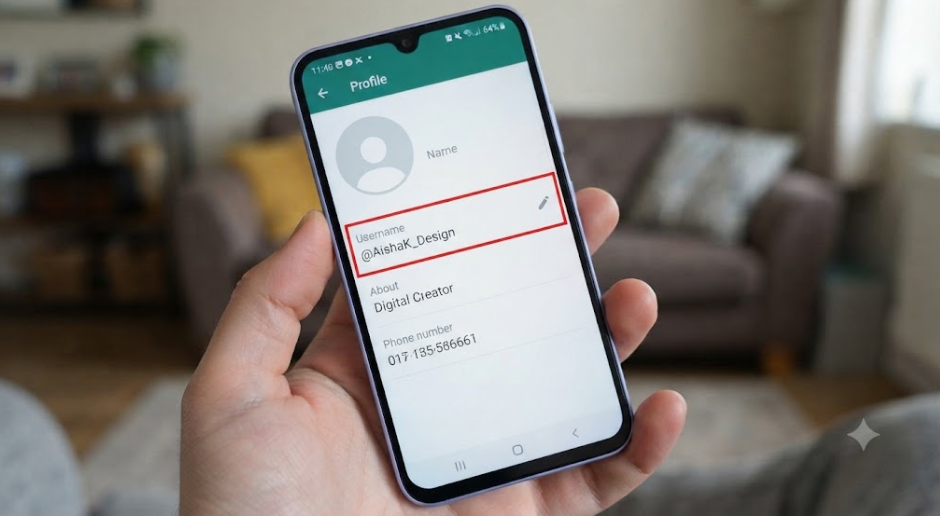
1. Create a WhatsApp Username
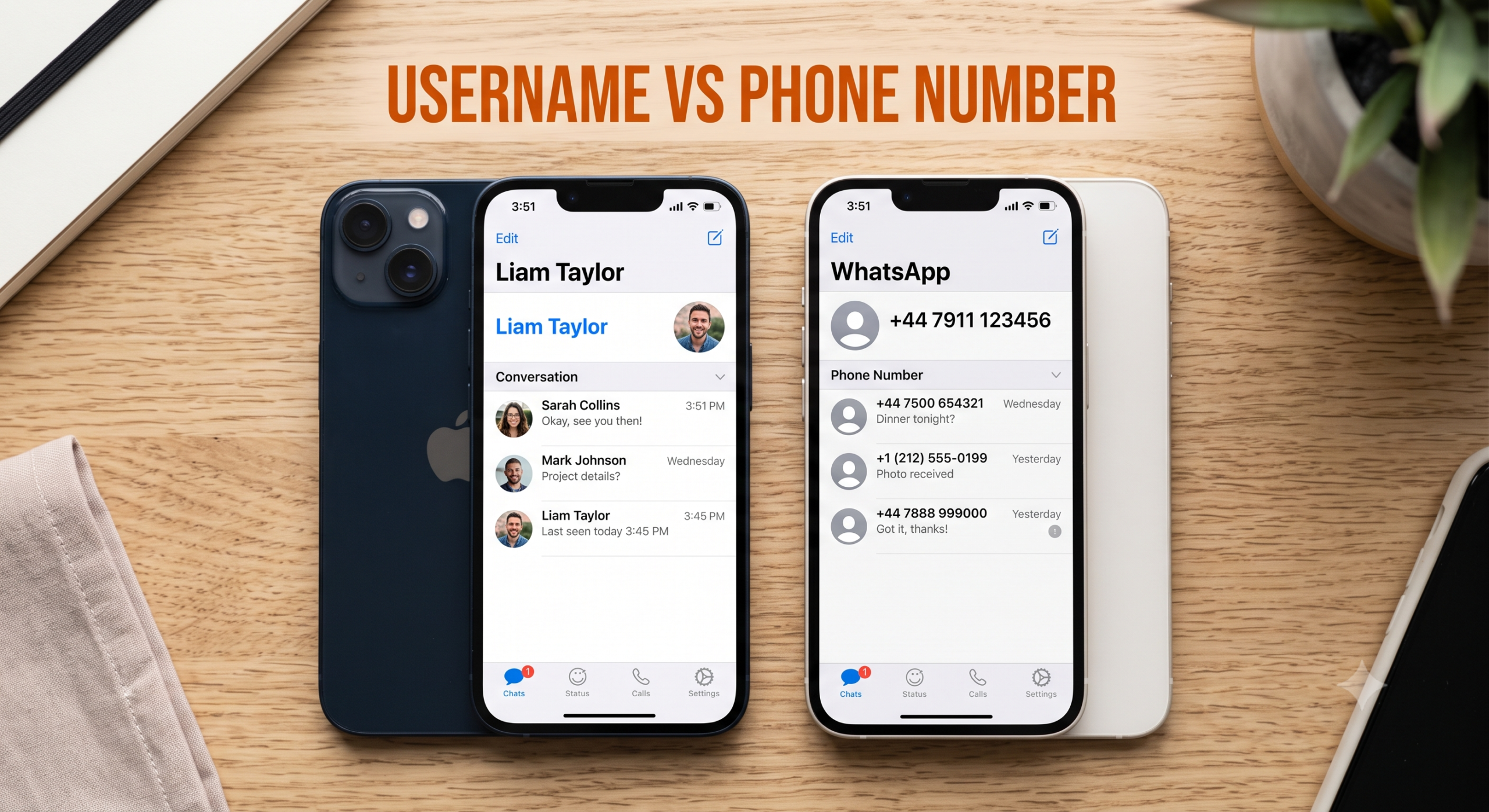
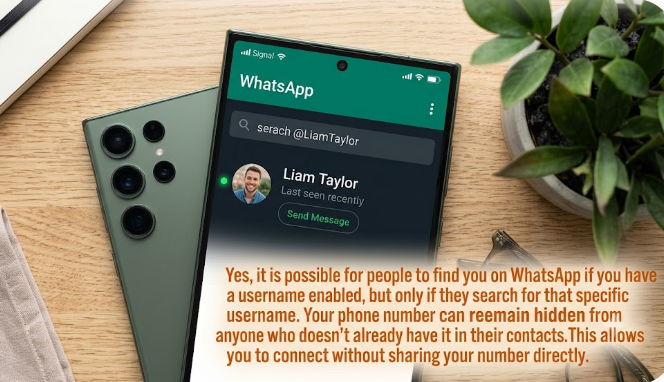
One of WhatsApp’s newest features is the ability to create a unique username. Instead of sharing your phone number with everyone, you’ll be able to share your username, making it easier to connect while improving your privacy.
If the feature hasn’t reached your account yet, keep your app updated as it’s being rolled out gradually.
2. Lock Individual Chats
Did you know you can hide and lock specific conversations?
With Chat Lock, sensitive chats are protected using your fingerprint, Face ID, or device passcode.
This is especially useful if you share your phone with family members or colleagues.
3. Edit Sent Messages
Made a typo?
WhatsApp allows you to edit messages after sending them.
Simply press and hold the message, then tap Edit.
Your corrected message will replace the original while showing that it has been edited.
4. Send High-Quality Photos
Many people don’t realize WhatsApp now lets you choose the quality of the photos you send.
When selecting an image, look for the HD option before sending it.
This helps preserve more detail, making your photos look much better.
5. Use Disappearing Messages
If you don’t want conversations to stay forever, enable Disappearing Messages.
Messages can automatically disappear after:
- 24 Hours
- 7 Days
- 90 Days
Perfect for temporary discussions.
6. Pin Important Chats
You can pin your favourite conversations to the top of your chat list.
Simply long-press a conversation and tap the Pin icon.
This prevents important chats from getting buried.
7. Star Important Messages
Need to save an important address, password reminder, or shopping list?
Press and hold any message, then tap Star.
Later, access all starred messages in one place.
8. Search Inside Conversations
Instead of scrolling endlessly through old chats, use WhatsApp’s built-in search feature.
You can search for:
- Words
- Dates
- Photos
- Documents
- Links
This saves a lot of time.
9. Silence Unknown Callers
Receiving spam calls?
Enable Silence Unknown Callers in your privacy settings.
Unknown numbers won’t ring your phone, although they’ll still appear in your call history.
10. Hide Your Last Seen
You don’t have to let everyone know when you were last online.
Go to:
Settings → Privacy → Last Seen & Online
Choose:
- Everyone
- My Contacts
- My Contacts Except…
- Nobody
11. Control Who Sees You’re Online
In addition to hiding your Last Seen, WhatsApp lets you control who can see when you’re currently online.
This is useful if you prefer more privacy while using the app.
12. Send Your Live Location
Meeting someone?
Instead of typing directions, share your live location.
The other person can watch your movement in real time for a limited period.
Always share your location only with people you trust.
13. Use WhatsApp on Multiple Devices
You no longer need your phone connected to the internet all the time to use WhatsApp Web or the desktop app.
You can link multiple devices and continue chatting even if your phone is offline for a while.
14. Turn On Two-Step Verification
This is one of the best security features available.
Two-Step Verification adds a six-digit PIN that helps prevent someone else from registering your phone number on another device.
Every WhatsApp user should enable this feature.
15. Backup Your Chats
Losing years of conversations can be frustrating.
Regularly back up your chats so you can restore them if you change phones or accidentally delete the app.
You can also enable encrypted backups for added security.
16. React to Messages
Instead of replying with “OK” or “Thanks,” simply react to a message using an emoji.
Long-press any message to choose a reaction.
It’s a quick way to respond without sending another message.
17. Send Voice Messages Hands-Free
Don’t want to keep holding the microphone button?
Press the microphone icon and slide upward to lock the recording.
Now you can record hands-free until you’re finished.
18. Speed Up Voice Notes
Listening to long voice notes?
WhatsApp lets you play them faster.
Choose:
- 1x
- 1.5x
- 2x
This can save a surprising amount of time.
19. Use WhatsApp on Your Computer
WhatsApp Web allows you to chat directly from your browser.
It’s especially useful if you spend a lot of time working on a computer.
Typing with a full keyboard is often much faster than using your phone.
20. Send Documents Without Losing Quality
Photos are often compressed when sent as images.
If quality matters, send them as a Document instead.
This helps preserve the original file.
21. Manage Storage Easily
Running out of phone space?
WhatsApp includes a storage management tool that shows:
- Large files
- Frequently forwarded media
- Unnecessary downloads
Delete what you no longer need with just a few taps.
22. Customize Notifications
You can assign different notification sounds to different chats.
This helps you know who’s messaging without even looking at your screen.
It’s particularly useful for family members or work conversations.
23. Archive Chats Instead of Deleting Them
Don’t want to delete a conversation but don’t want it cluttering your chat list either?
Archive it.
Archived chats remain saved and can easily be restored later.
24. Block Spam Messages
If someone keeps bothering you, don’t hesitate to block them.
Blocked users cannot:
- Call you.
- Send messages.
- See certain updates to your profile.
Blocking is one of the simplest ways to improve your WhatsApp experience.
25. Keep WhatsApp Updated
This might sound obvious, but many people ignore updates.
New versions often include:
- Security improvements.
- Bug fixes.
- New privacy features.
- Performance enhancements.
- Brand-new tools like usernames.
Updating your app ensures you have access to the latest features and protections.
Bonus Tips for Power Users
If you use WhatsApp daily, these additional habits can make an even bigger difference:
- Review your privacy settings every few months.
- Use a professional profile photo for business accounts.
- Keep your About section up to date.
- Organize chats with pinned conversations.
- Avoid sharing verification codes with anyone.
- Report suspicious accounts instead of engaging with them.
- Use Chat Lock for confidential conversations.
- Create a memorable username when the feature becomes available.
Frequently Asked Questions
Are these WhatsApp features free?
Yes. All of the features mentioned in this guide are included in WhatsApp at no additional cost, although some may roll out gradually depending on your device or region.
Why don’t I have some of these features?
WhatsApp releases new features in phases. Make sure you’re using the latest version of the app, as updates often unlock new tools over time.
Is WhatsApp safe to use?
WhatsApp uses end-to-end encryption for personal messages and calls, helping to protect your conversations. However, you should still enable Two-Step Verification, keep your app updated, and be cautious of scams or phishing attempts.
Can I use these tips on Android and iPhone?
Most of the features work on both Android and iPhone, though the steps to access them may vary slightly depending on your device.
Final Thoughts
WhatsApp is much more than a simple messaging app. From hidden privacy controls and Chat Lock to message editing, disappearing messages, multi-device support, and the upcoming username feature, there are dozens of tools that can make your chats more secure, organized, and efficient.
By taking advantage of these tips and tricks, you’ll not only improve your everyday WhatsApp experience but also protect your personal information and save time. Whether you use WhatsApp for chatting with family, running a business, or staying connected with colleagues, exploring these hidden features can help you get even more from the app.
As WhatsApp continues to introduce new updates throughout 2026, keep your app updated and revisit your settings regularly—you might discover even more features that make communicating easier than ever.
Related Articles
- How to Create a WhatsApp Username
- WhatsApp Username vs Phone Number: What’s the Difference?
- Can Someone Find You by WhatsApp Username?
- WhatsApp Privacy Settings Explained
- Best WhatsApp Username Ideas for 2026
- Why Can’t I Create a WhatsApp Username?